Posted on : 30-04-2010 | By : admin | In : VerseVIEW
0
- Download the true type font from the download page.
- Open Windows Explorer or My Computer
- Navigate to C:\Windows\Fonts folder.
- Click and drag the downloaded font to this folder.
The font will be installed. Re-open VerseVIEW and the font will work.
Posted on : 04-04-2010 | By : admin | In : Background
0
VerseVIEW Background Graphics set #3

File Size: 0.5MB
Date: 4/4/2010
Download
Background Copyrights: Binu Joseph
Posted on : 02-04-2010 | By : admin | In : VerseVIEW
0
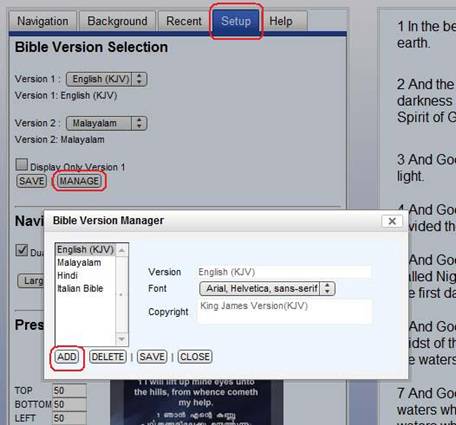
VerseVIEW is a Bible presentation software which will benefit your Church service, Ministry and personal devotion. It enables one to display Bible verses in multiple languages simultaneously in a presentation format. It is very useful for bi-lingual Churches that use digital projectors to project verses during services. It also benefits individuals to read Bible text in two languages side-by-side.
You can download the latest version of VerseVIEW for free from the download page. Click Here
Features
– Verses are displayed on Full screen presentation format similar to Powerpoint
– Supports various translations of the Bible
– Automatic support for dual-screen
– Supports user selected background graphics
– Maintains recent selection (History)
– Saves user configuration